Case study · AI content production · Photo and video
I shoot it, then finish it with AI.
I am a working photographer and videographer, and I build AI production workflows. This page shows both: a save-the-date film made with no camera, my own drone and photo work finished with AI, and the same piece versioned for every platform. Every AI step is labelled.
- Cameras
- Fujifilm, DJI
- Image models
- Qwen-Image-Edit, FLUX.2, Z-Image
- Video and music
- Wan 2.2, LTX-2.3, ACE-Step
- Cloud GPU, whole session
- $1.57
01 · Case study
A save-the-date film with no camera.
For a brandA concept film in a day, with no crew, location or animals on set, and unlimited takes before anything is approved.
Save the date · 24 s · 6 shots · fully synthetic · sound on
Brief
Recreate a save-the-date film I shot for a client (shot order, framing, pace) with no camera and no real people. Two humans, two dogs, a hand-chalked sign, a garden, a title card. Fictional names and date; nothing from the original film is used as an input.
Result
A 24 second film plus six 12 second cutdowns (16:9, 9:16, 1:1, English and Hebrew), made by one person in about a working day, for under $2 of cloud compute.
Workflow
- 01Pre-productionStoryboard from the reference film. Character sheet in words (the couple, the dogs, wardrobe) reused in every prompt so they stay consistent. One keyframe per shot, picked from two takes.
- 02ProductionEach keyframe animated into a 5 second shot on a rented cloud GPU, about 3 minutes per shot. The chalkboard lettering is written into the keyframe before animation, so it moves with the board.
- 03PostCut, frame interpolation to 30 fps, titles, and a generated instrumental soundtrack. Then cutdowns in three aspect ratios and two languages.
Traditional shoot vs this workflow
| Traditional (estimate) | AI workflow (actual) | |
|---|---|---|
| Crew on set | Videographer and assistant | None |
| Shoot and edit time | Half a shoot day, 1 to 2 edit days | About 1 day, one person |
| Production cost | ₪3,000 to ₪6,000 | Under $2 of cloud GPU, plus my time |
| Takes per shot | Whatever the day allows | As many as needed, before approval |
| Versions delivered | 1 edit, extra formats billed | 6 (3 ratios × 2 languages) |
Traditional figures are my estimates for a small production in Israel. Workflow figures are from this project.
How I would scope it for a client
A one-page proof-of-concept outline, the shape of what I would co-write with a client before starting.
- Scope
- One 20 to 30 second save-the-date or product film, built from the client's brief and 5 to 10 reference photos. No real faces are altered; real people appear only with written consent.
- Deliverables
- Master film in 16:9, cutdowns in 9:16 and 1:1, titles in up to two languages, licensed or generated music, project notes listing every AI tool used.
- Timeline
- Day 1 brief and storyboard. Day 2 keyframes for approval. Day 3 motion and edit. Day 4 versions and delivery.
- Revision rounds
- Two rounds on keyframes (cheap to change), one round on the edit, one on titles and versions.
- Client provides
- Brief, references, brand assets, final names and dates, approvals at each gate.
Next step for a client
Swap in the client's names, date, dogs and garden from a few phone photos, approve keyframes before any motion is rendered, then deliver the full version set.
Technical details
02 · Versions
One piece, every platform, two languages.
The same three shots, reframed per aspect ratio rather than letterboxed, with English and Hebrew titles. This is the part brands pay for at scale: one approved piece becoming a full delivery set.
For a brandOne approval produces a complete, on-brand delivery set for every channel and market, without a reshoot.
03 · Vertical
Jaffa after dark, cut for 9:16.
Two frames from my own drone footage over Jaffa at dusk. Each gets one AI edit, then becomes a vertical clip for Reels, TikTok and Shorts.
For a brandExisting footage becomes new seasonal or night-time content without going back to location.
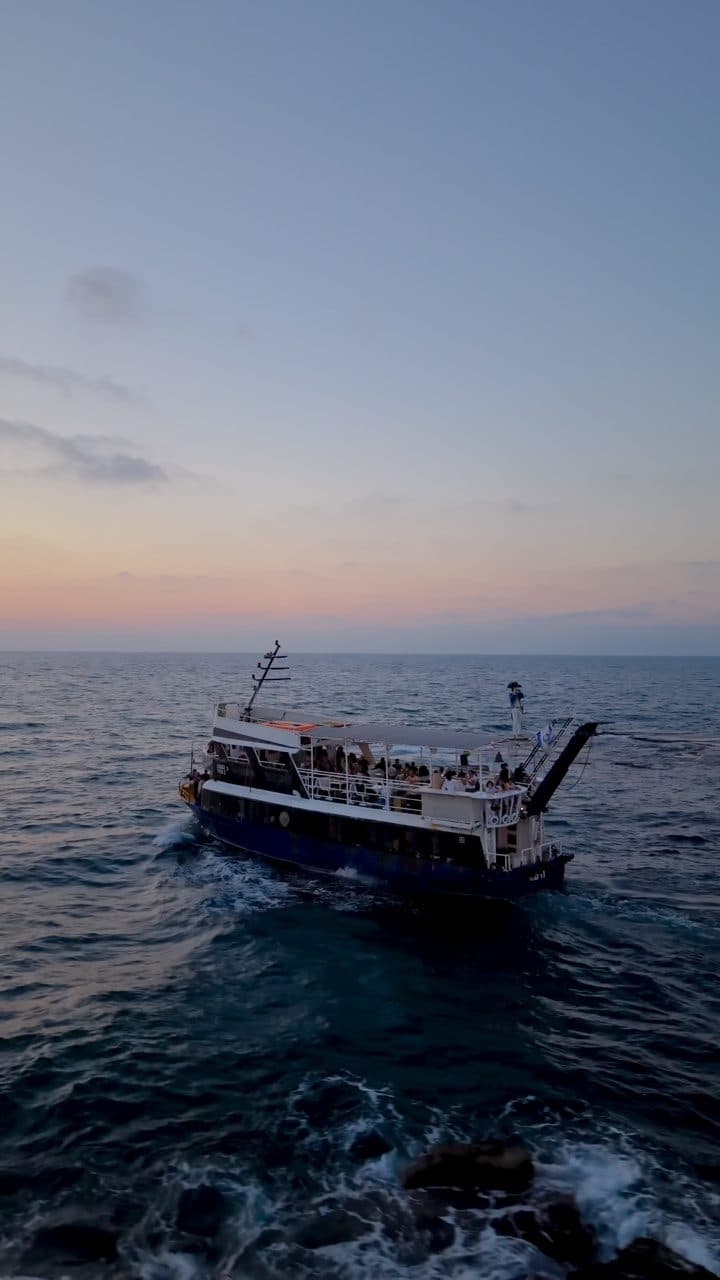
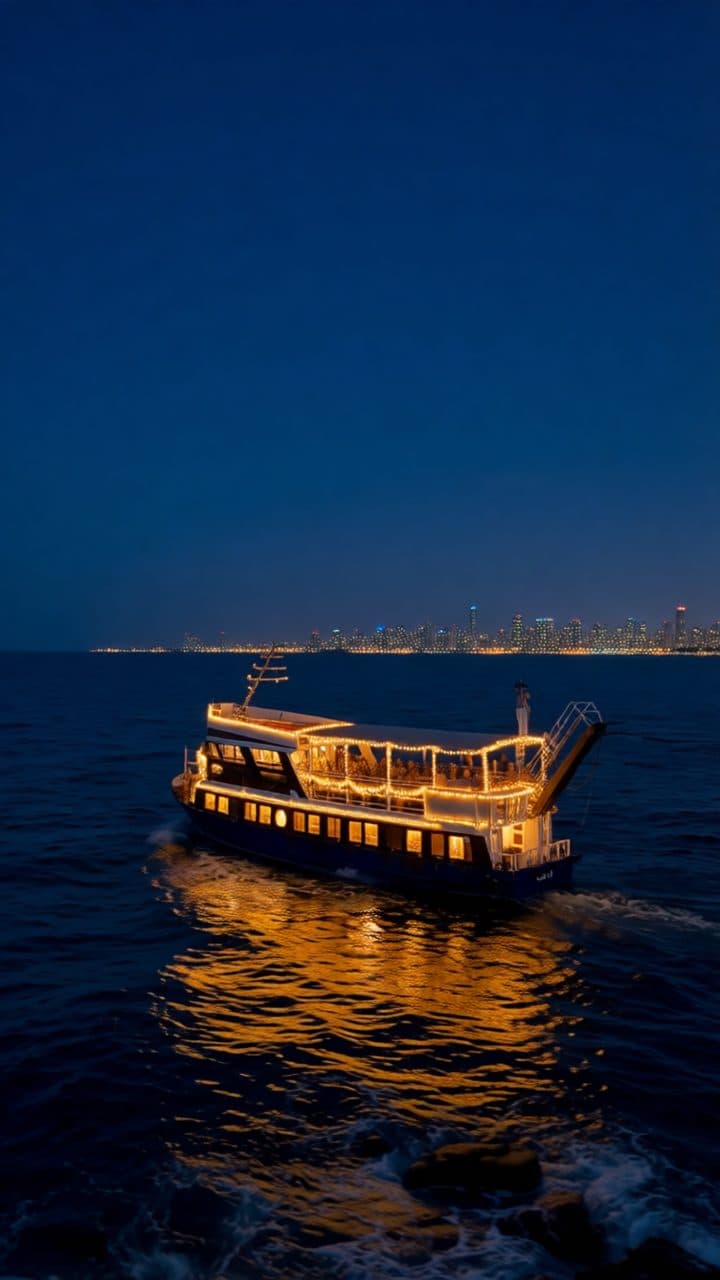 My frameAI edit
Party boat, night
Instruction: “Night after sunset, the boat lit with warm string lights, reflections on the dark sea, the skyline lit. Keep the boat, the sea and the camera angle.”
Technical details
In motion
Technical details
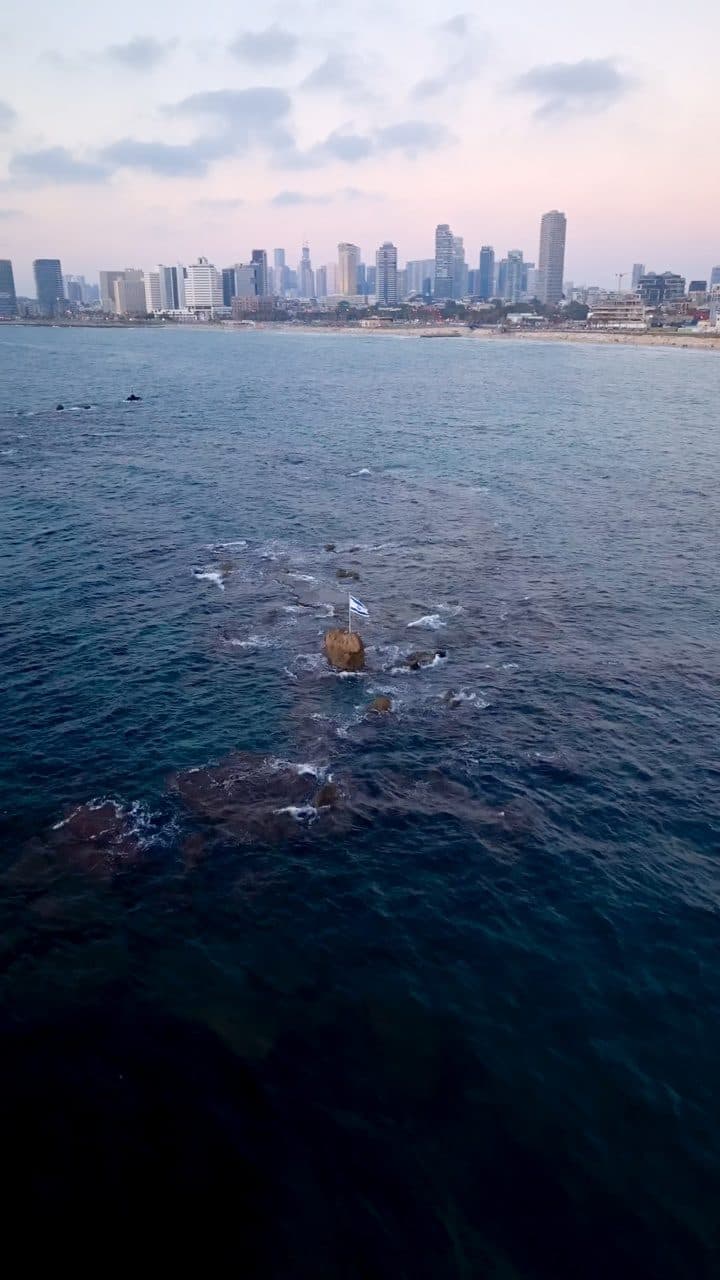
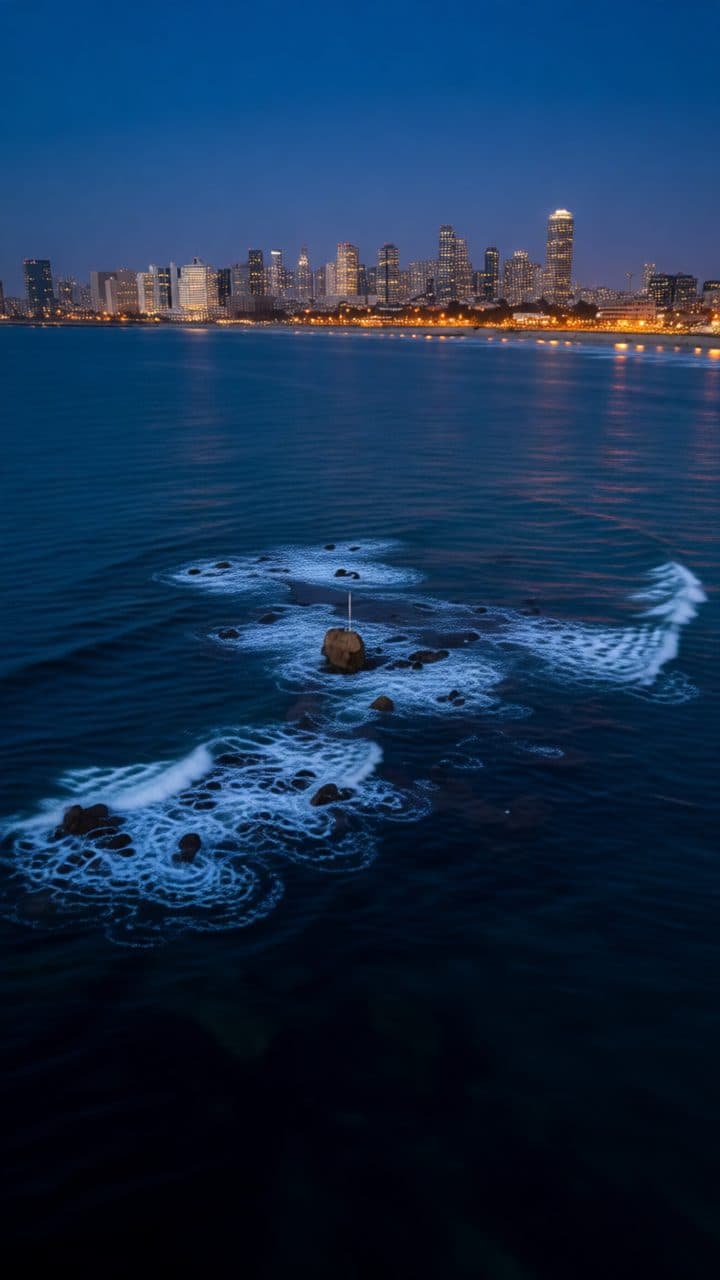 My frameAI edit
Skyline, blue hour
Instruction: “Blue hour, skyscraper windows and city lights glowing, white waves over the dark rocks. Keep the coastline and camera angle.”
Technical details
In motion
Technical details
04 · Stills
Shot on camera, finished with AI.
Drag across each frame. Left is the photo as I shot it, right is the AI edit. Each edit is one instruction with the composition held, so the frame stays mine and the light, season or set changes.
For a brandOne product or location shoot turns into a full campaign set: new seasons, sets and lighting from the same session.
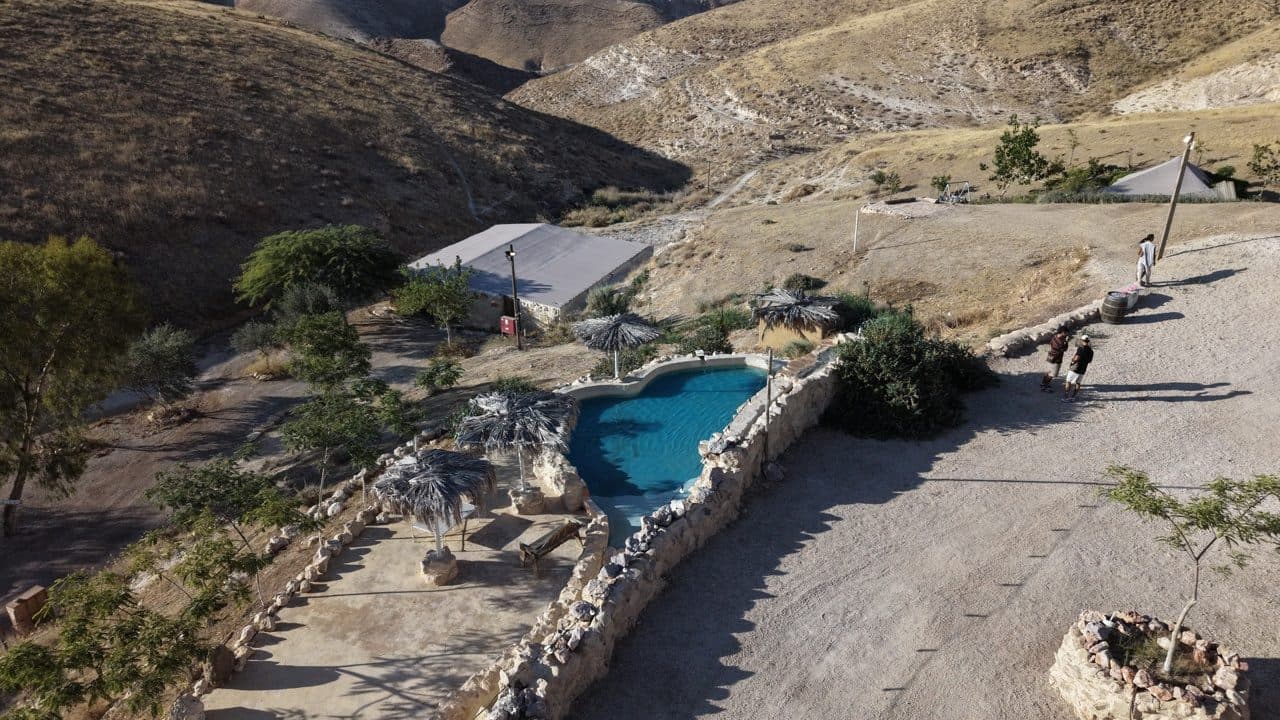
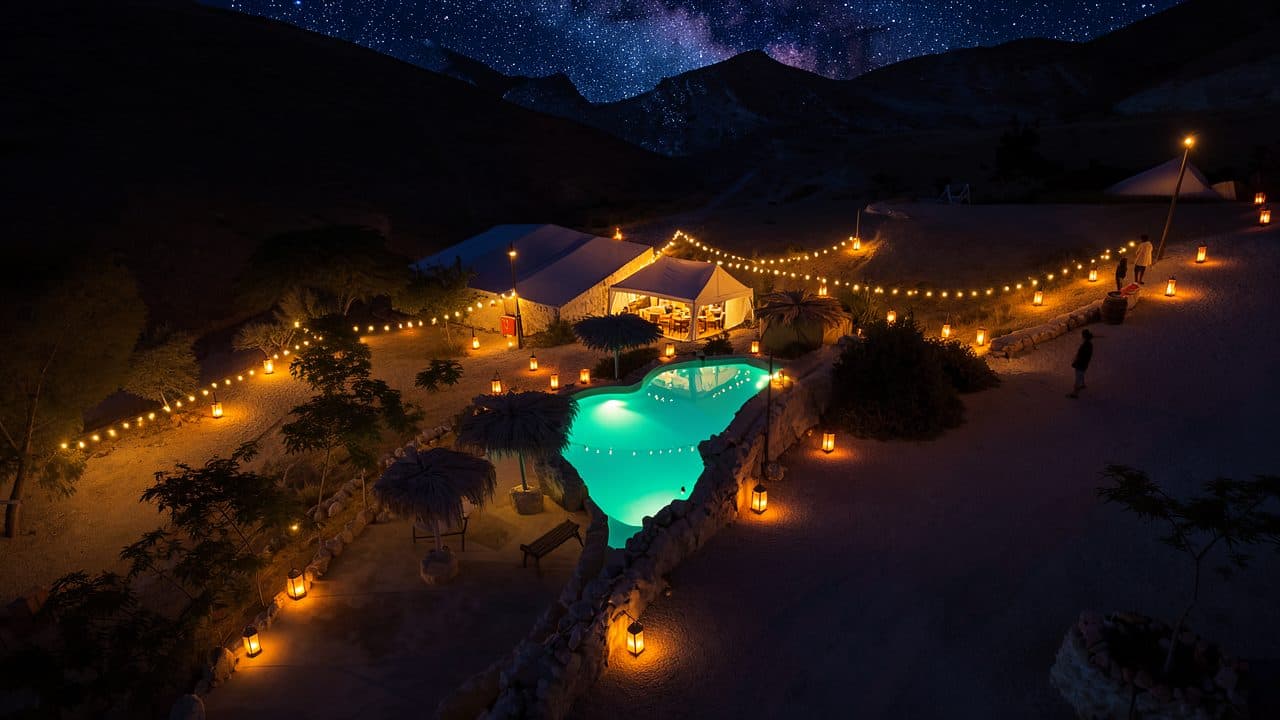 My photoAI edit
Desert venue, night
Instruction: “Change the scene to night: starry sky, lanterns and string lights, pool lit from underwater. Keep the layout, rocks and buildings.”
Technical details
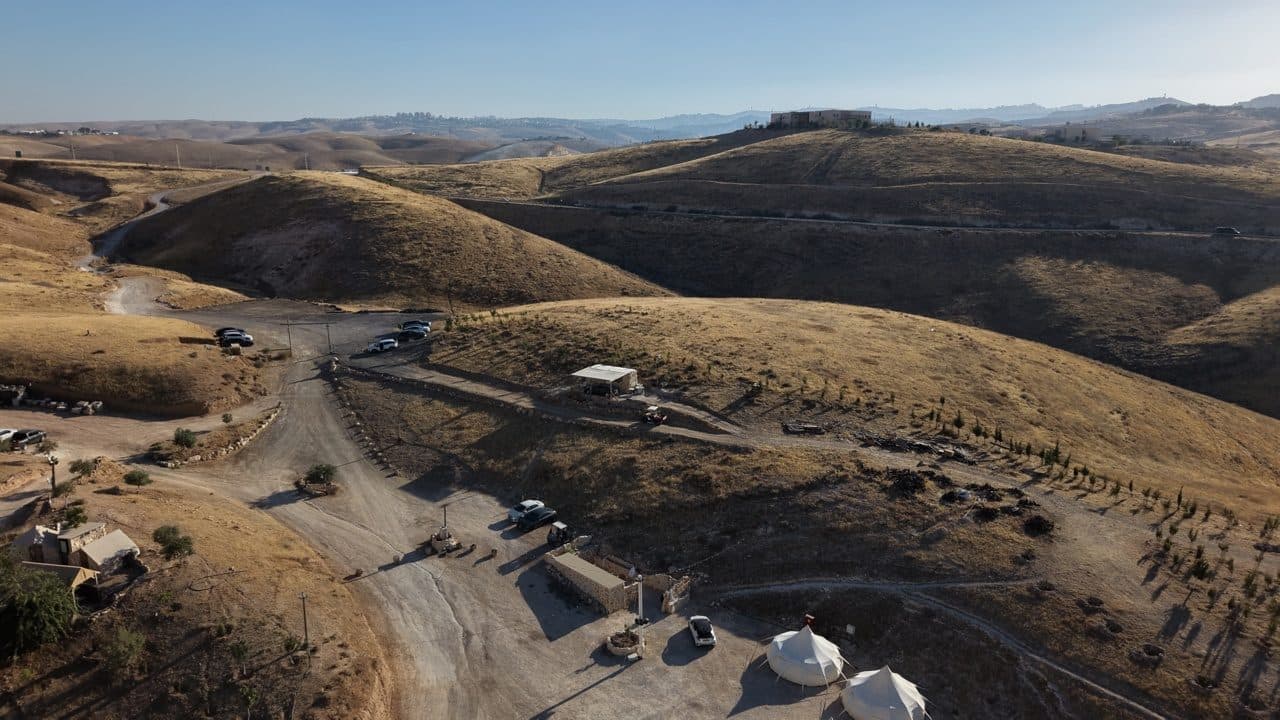
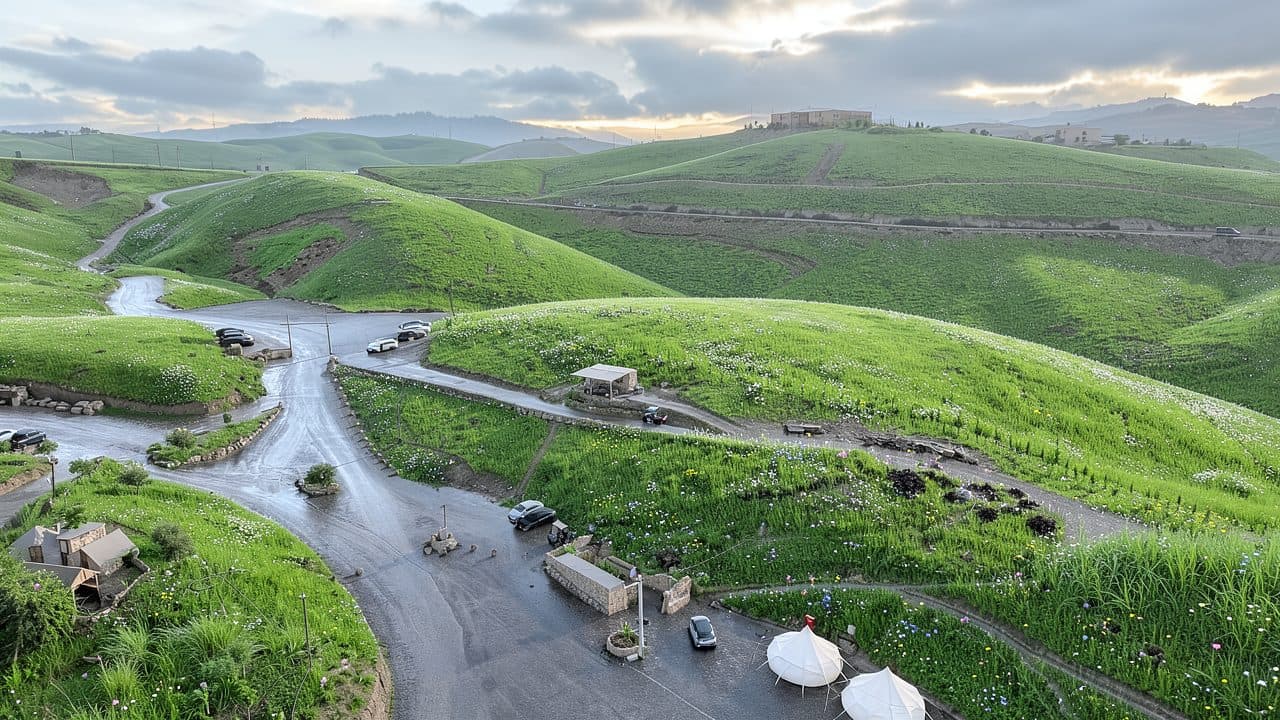 My photoAI edit
Desert hills, after rain
Instruction: “Late winter after rain: fresh green grass and wildflowers, low clouds, soft morning light. Keep the terrain, roads and buildings.”
Technical details
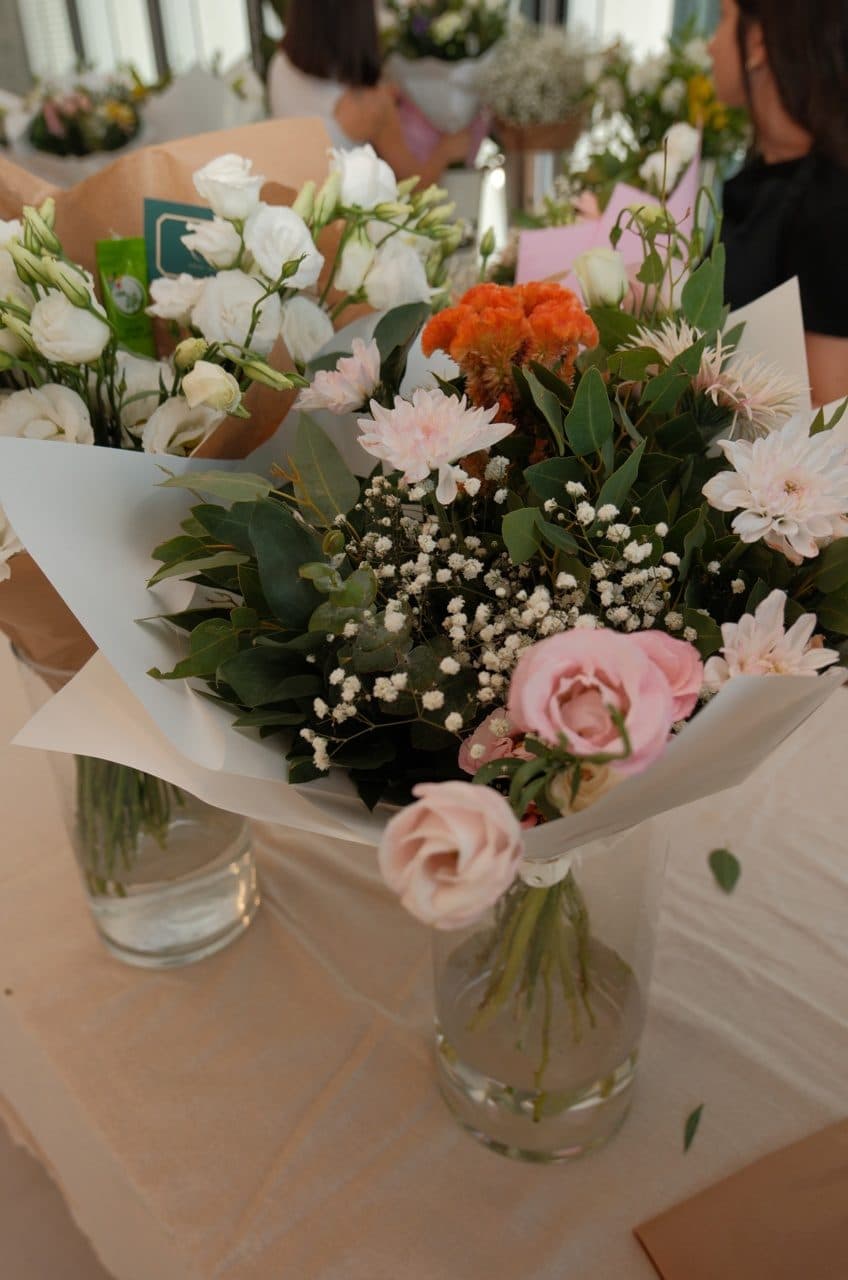
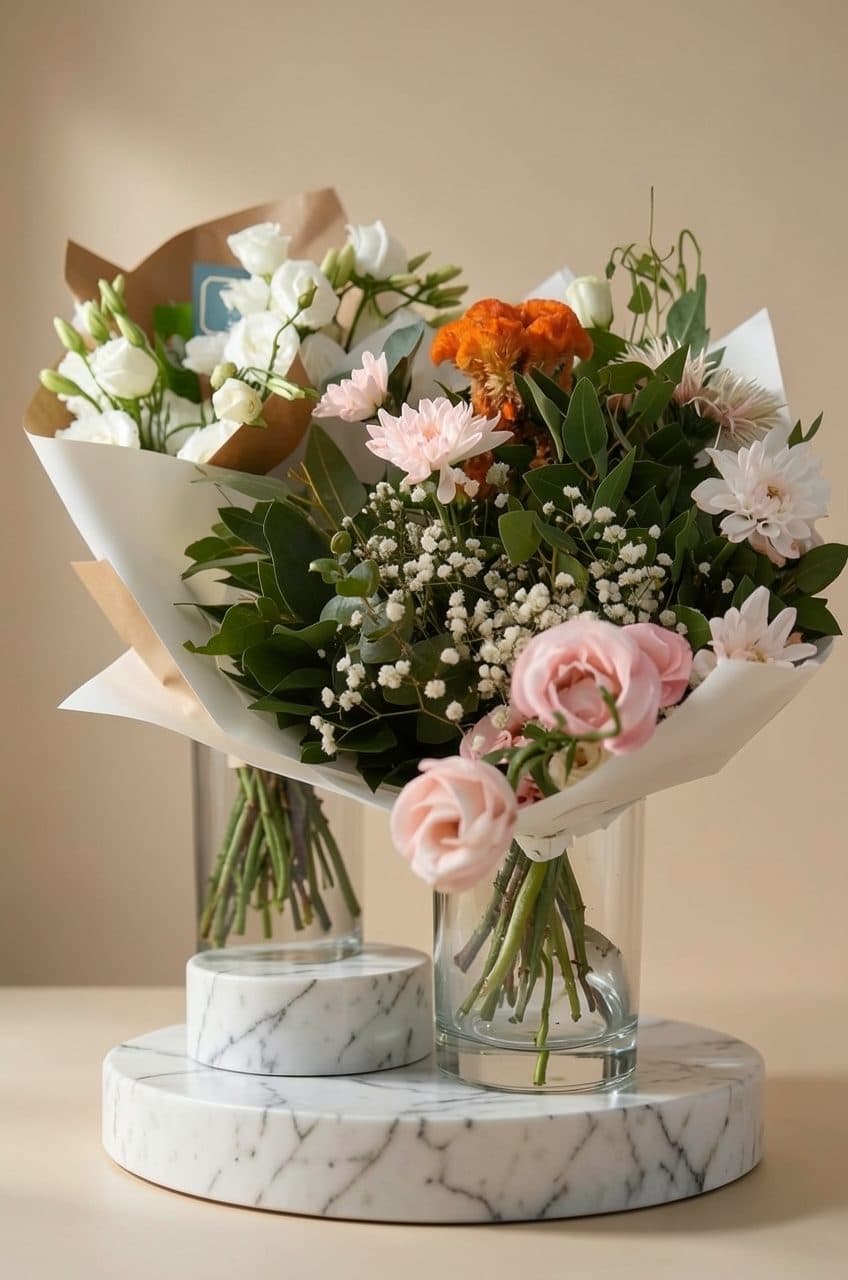 My photoAI edit
Bouquets, studio product shot
Instruction: “Marble pedestal, minimalist studio, beige backdrop, one soft key light. Keep the flowers and wrapping.”
Technical details
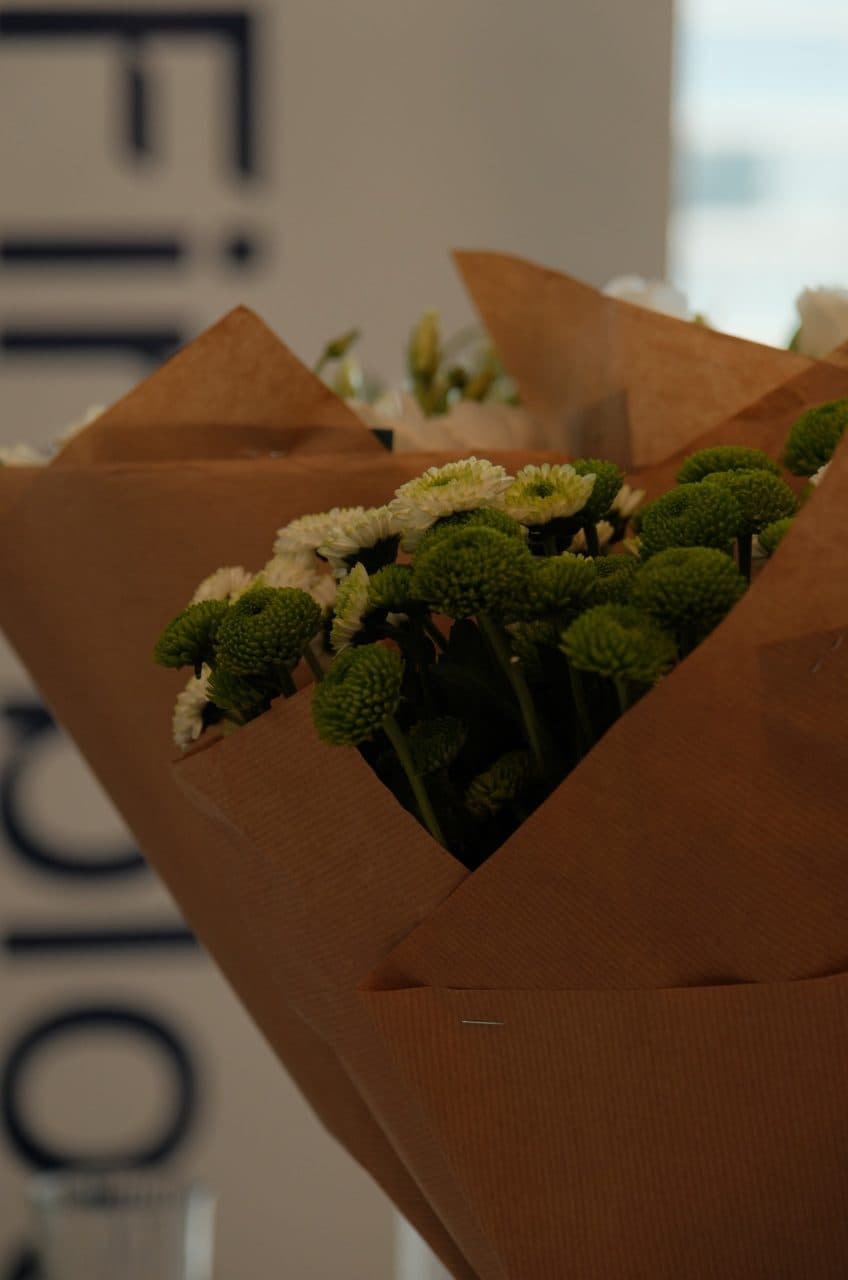
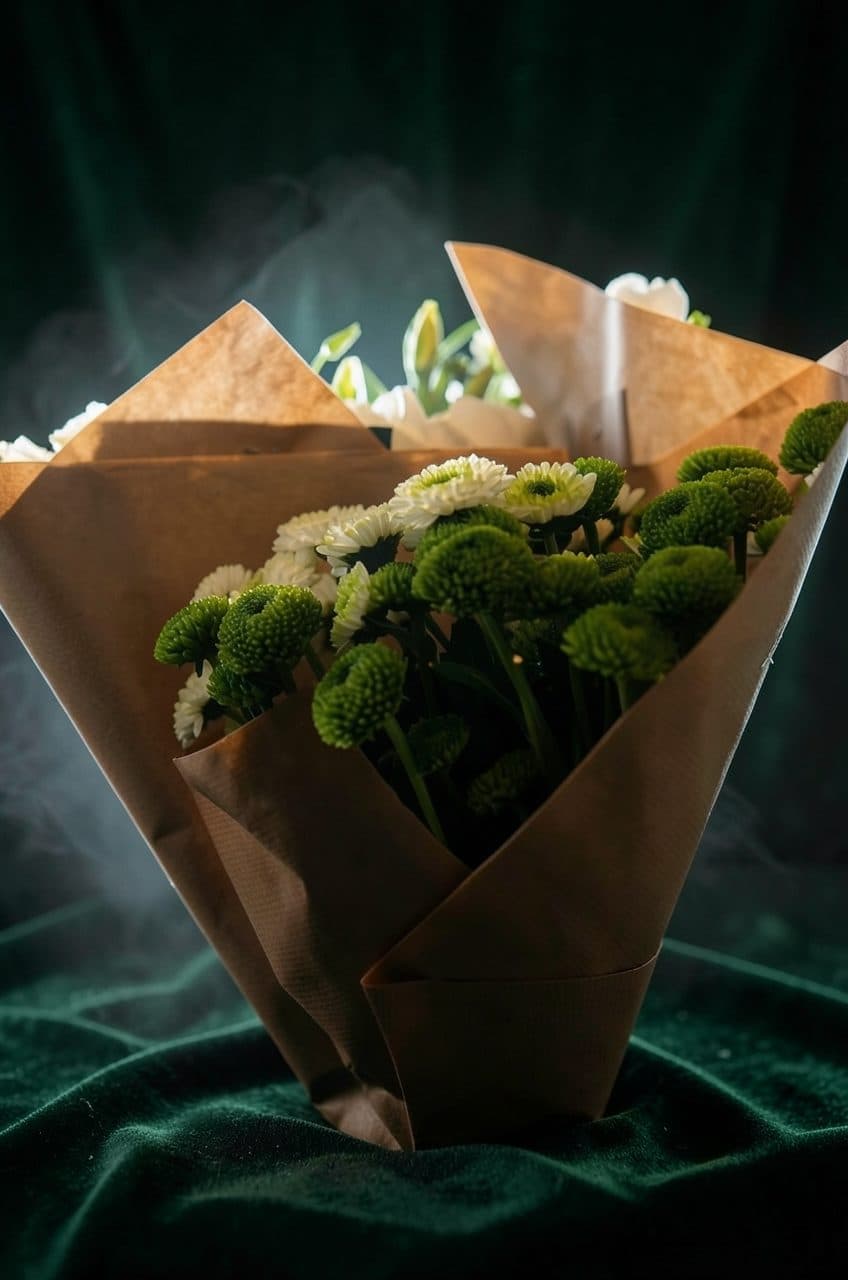 My photoAI edit
Kraft bouquet, editorial set
Instruction: “Dark green velvet background, dramatic rim light, light mist. Keep the bouquet and paper wrapping.”
Technical details
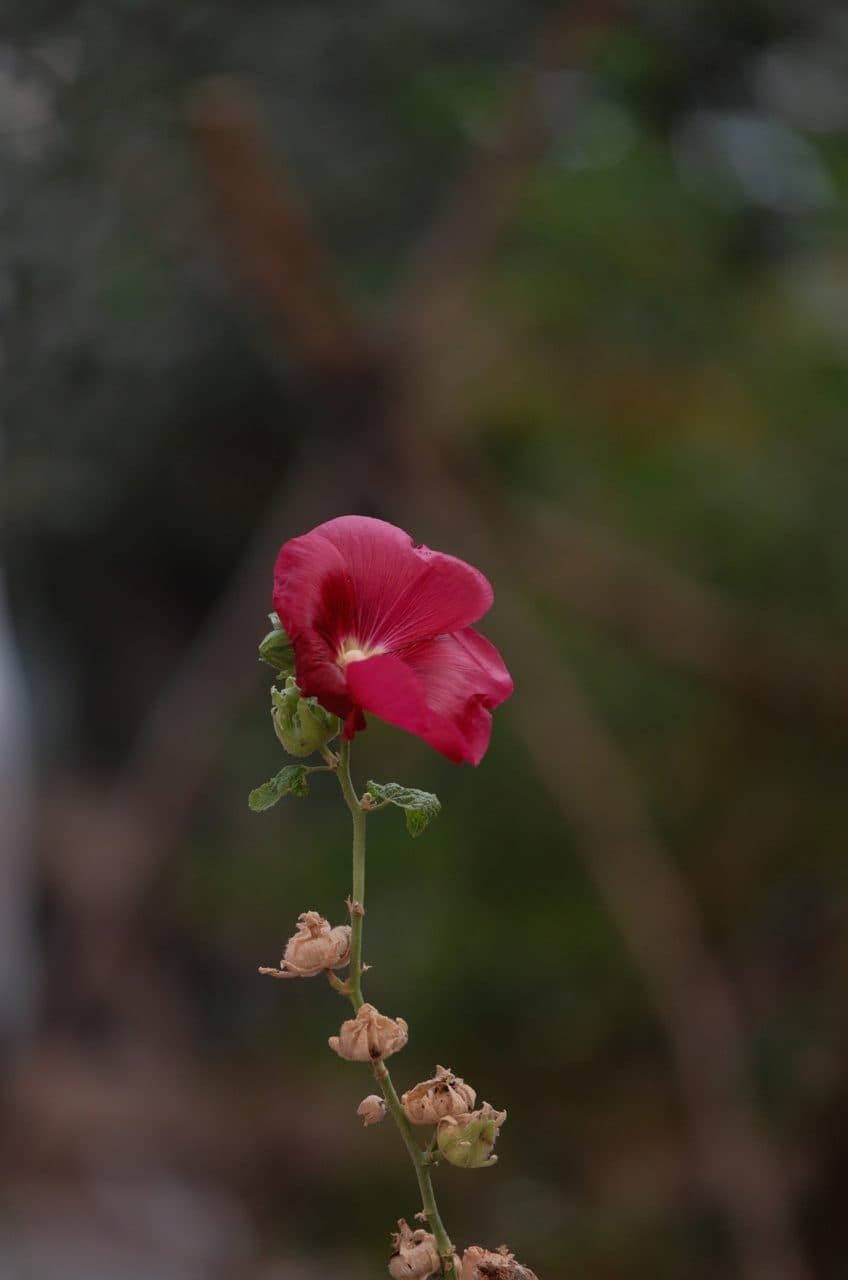
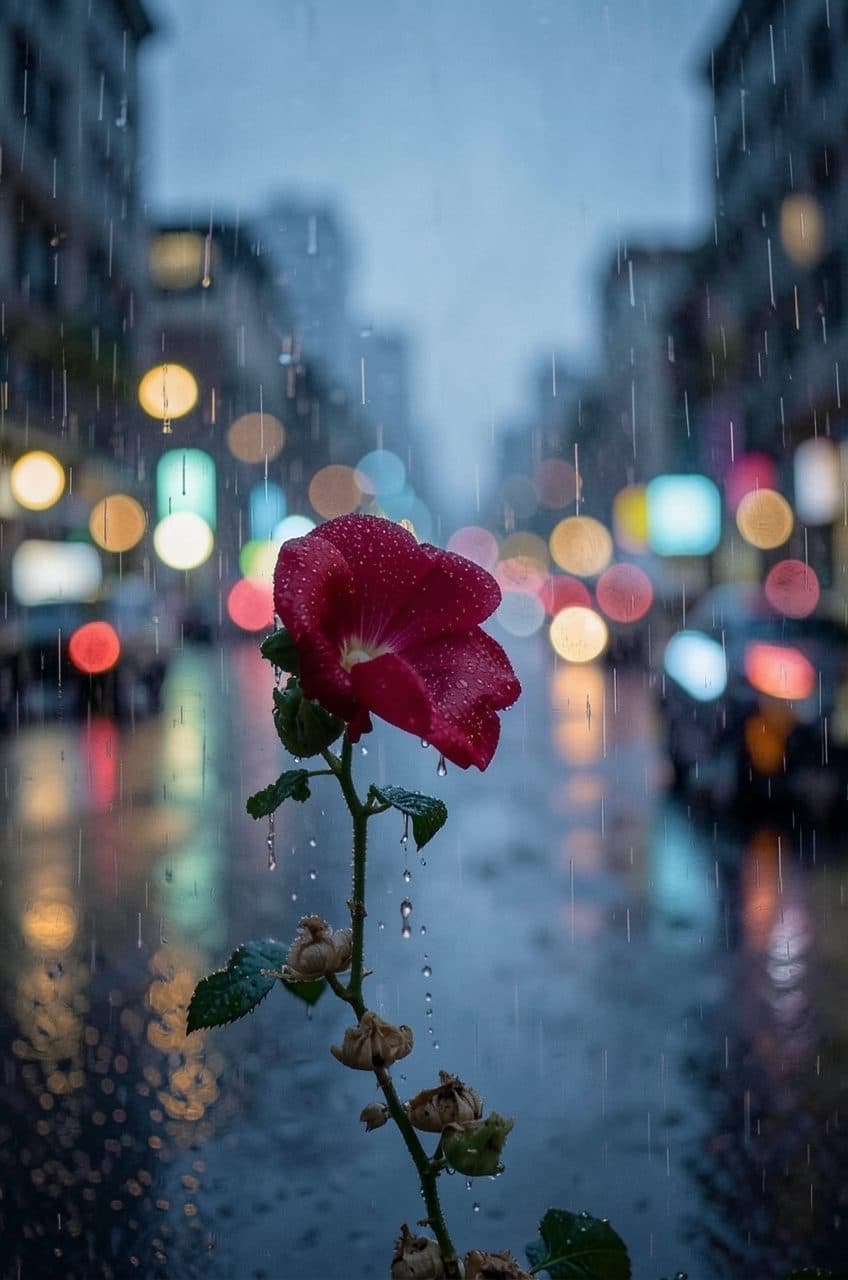 My photoAI edit
Red bloom, rainy evening
Instruction: “Rainy evening: drops on the petals, soft city bokeh, moody cinematic colour. Keep the flower shape and framing.”
Technical details
05 · Motion
Stills into motion.
The AI-edited still becomes the first frame of a short clip. Prompts describe only camera and ambient motion, so the composition holds.
For a brandStills a brand already owns become short video for social, at a fraction of a video shoot.
Desert venue, night
Technical details
Desert hills, after rain
Technical details
06 · Colour
An AI-assisted grading workflow.
For a brandA consistent, repeatable look across every deliverable, with checks that do not depend on one editor's eye.
Short film · 4 shots matched to camera originals · left: final grade · right: straight out of camera
I grade in DaVinci Resolve with Claude as a scripting partner. Claude writes Lua scripts that run inside Resolve, and each script writes the project state and a grade snapshot to a log, so the next change is based on what the grade looks like.
The film look is a LUT generated from code: channel crosstalk for film density, a warm split tone, and highlight roll-off. Contrast and saturation stay in their own nodes.
Show the LUT parameters
# generate_film_look.py, Kodak print look
P = {
  "crosstalk": 0.060,
  "mids_r": 1.035, "mids_b": 0.965,
  "shadows_r": 0.988, "shadows_b": 1.022,
  "high_desat": 0.30,
  "size": 33,
}
07 · Process
How a piece gets made.
- 01ShootFujifilm stills and DJI aerials. Composition, light and timing happen on location, which keeps the AI work grounded.
- 02EditOne instruction per pass on an image-edit model. Lock what must not change, change one thing, compare against the original.
- 03AnimateImage-to-video with Wan 2.2 14B on a rented GPU, or LTX-2.3 locally. Prompt only camera and ambient motion, keep the cleanest take.
- 04FinishGrade and cut in Resolve with scripted checks and a code-built film LUT, score with generated music, deliver 16:9, 9:16 and 1:1.
All AI-edited and AI-generated work on this page is labelled. Faces of real people are never altered by AI. The edits start from my own photographs and footage; the save-the-date film is fully synthetic, with invented people.